
Firefox Fast & Private Browser
MozillaCommunication
4.6247.87K Reviews
- Version
- 160.0
- Installs
- 500.00M
- Age Rating
- Everyone
Screenshots


Our Review of Firefox Fast & Private Browser
 Analysis by Appyee
I reach for Firefox when I want a browser that feels familiar but gives me meaningful control over how I browse. On a phone, that balance matters: I may be checking a message link one moment and comparing options for a purchase the next, with little patience for a browser that gets in the way. My experience is that Firefox Fast & Private Browser is at its best when I want a practical everyday browser rather than a highly specialized tool.
What it feels like in everyday use
Firefox is a communication app in the broad sense that it helps me reach and use information across the web, rather than a messaging service itself. Mozilla develops it, and it is free to use. It has a 4.6 average from around 6.2 million ratings, with more than 100 million installs. Those figures suggest it has become a familiar choice for many people, but they do not tell me whether it will suit every browsing habit.
The first thing I notice is the balance between a straightforward interface and room to personalize it. I can keep ordinary browsing tasks simple, then adjust the browser to fit how I use the web. That makes it a reasonable starting point if I want something more flexible than the browser that came with my phone, without turning setup into a project.
Speed expectations on a phone
First off, let’s talk about speed. The browser is noticeably faster than some of its competitors. I’m talking quick load times, seamless tab switching, and minimal lag. Whether you’re streaming videos, scrolling through social media, or doing some heavy research, Firefox doesn’t disappoint. It feels like it’s working with you, not against you.
I would still treat speed as something that depends on the page, the connection, and the device, not as a guarantee that every site will open instantly. A text-heavy page and a media-rich page place different demands on a phone, and a slow connection can make any browser feel sluggish. Firefox is most convincing for me when I’m moving between everyday pages and want the controls to keep up without demanding attention.
A useful habit is to open only the pages I expect to return to and close tabs once I have finished with them. That is not a special Firefox trick; it is simply a way to keep mobile browsing manageable. When I am researching, I also try to separate pages I need for the current task from links I may want to revisit later, rather than letting a long row of tabs become a second to-do list.
Why Firefox Stands Out
Remember the good old days when Firefox was just another browser option? Well, times have changed, and the Firefox Fast & Private Browser has seriously upped its game. It's not just about speed; this browser is all about protecting your data while delivering a smooth browsing experience.
Privacy you can tune
Now, onto the privacy features, which for me, are the real stars of the show. Firefox has robust tracking protection that blocks a wide range of trackers by default. No more sneaky ads following you around the internet! It’s like having a digital bodyguard keeping your data safe from prying eyes.
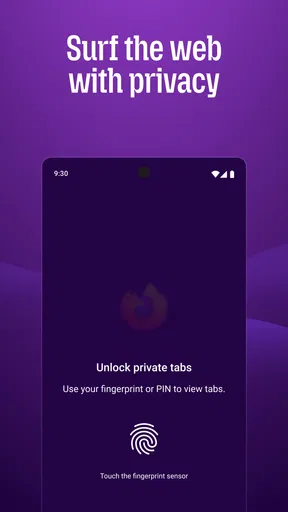
There’s also the option to customize your privacy settings. Want more control? You got it. You can adjust the level of protection based on your needs. Plus, there’s a handy ‘Private Browsing’ mode that doesn’t save history, cookies, or site data, making it perfect for those times when you need a little more discretion.
Using private browsing with care
I find private browsing most useful for a specific, short-lived task: checking a page on a shared device, looking something up without adding it to my ordinary browsing history, or opening a site where I do not want a routine session to persist. It is a convenient boundary between one browsing task and another, not a promise of complete anonymity. I would not use it as a substitute for careful account sign-in habits or for thinking about what information I submit to a website.
Protection settings also involve a trade-off. Stronger blocking can make browsing feel quieter, but some sites may behave differently when they cannot load the elements they expect. If a page’s sign-in, checkout, or embedded content stops working, I would first check whether the protection level is affecting that particular site before assuming the browser is broken. That small troubleshooting step can save time and lets me keep stronger settings for ordinary browsing where they work well.
Navigation that stays out of the way
One of the things I love most about Firefox is its intuitive interface. Everything is where you expect it to be. The layout is clean and user-friendly, which means less time fumbling around and more time getting things done. The toolbar is customizable, so you can have your favorite features right at your fingertips.
That simplicity matters in an everyday scenario: I might open a link from a conversation while waiting for a bus, read enough to decide whether it needs attention, and then return to the original task without having to learn a new navigation system. If I often revisit particular browser controls, customizing the toolbar can reduce small repeated interruptions. I would make those changes gradually, though; adding options just because they are available can make a clean interface feel busier rather than more useful.
Add-ons: flexibility with a cost
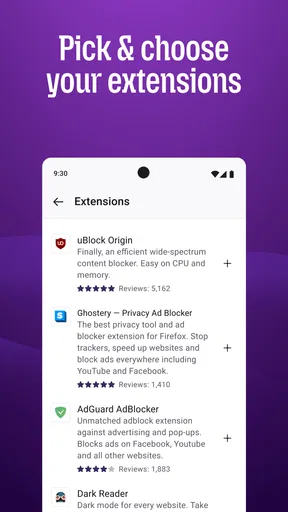
Let’s not forget the add-ons! Firefox offers a fantastic selection of extensions that can supercharge your browsing. From ad-blockers to productivity tools, there’s something for everyone. And the best part? They’re super easy to install and can be tailored to fit your browsing style.
Extensions are most valuable when they solve a recurring problem, not when I install several at once out of curiosity. A focused setup can make a browser feel more personal; a crowded one can add choices and potential sources of friction. If a page begins acting oddly after I change my setup, I would simplify by reviewing recent additions instead of assuming the core browser has become unreliable. People who prefer a fixed, minimal environment may be happier with a browser that offers fewer customization decisions.
Heavy-use moments and recovery
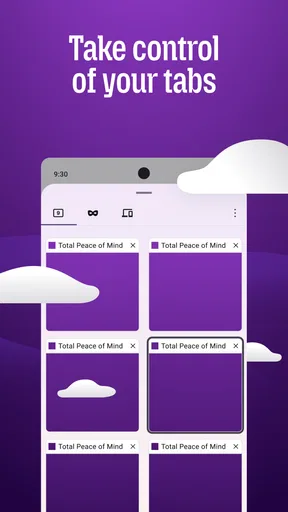
When I am moving between research pages, social feeds, and a video, the main question is not just whether each page loads quickly. It is whether I can keep track of what I was doing. Firefox’s tab switching helps with that, but mobile multitasking still benefits from a little discipline: I try to finish a short task before opening another cluster of pages, and I keep important material somewhere more deliberate than an ever-growing pile of tabs.
If a page stalls or the browser feels less responsive, I start with the simple checks: whether the connection is steady, whether the site itself is having trouble, and whether I have left too many tasks open for the phone I am using. I avoid promising that any browser will recover instantly in every situation. For a page I cannot afford to lose, I make a note of what I was doing or keep the address somewhere accessible before switching away. That is a practical safety net, especially on a busy day.
Syncing between screens
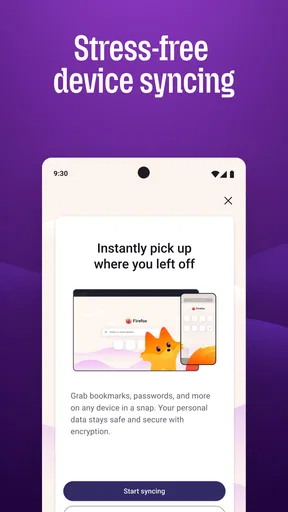
If you’re juggling multiple devices like me, you’ll appreciate the syncing features. With a Firefox account, you can sync your bookmarks, history, and open tabs across all your devices. It’s a seamless transition from phone to tablet to desktop, ensuring you’re always connected wherever you are.
The most useful way I think about syncing is as continuity, not as a substitute for organizing everything. For example, I can look up a longer article on my phone and later find it from another device, or keep a bookmark available when I switch screens. Before relying on this workflow, I would make sure I am signed in where I expect to browse and that syncing suits my comfort level. If I use only one device, this benefit matters much less, and there is no reason to choose a browser for a feature I will rarely use.
Device limits and who should choose it
The app is rated for Everyone and supports devices running Android 8.0 or later. Its current version is 147.0.3, and it was released on December 21, 2010. That long history helps explain why Firefox feels like an established alternative, but the practical question is still how it behaves on the device in my hand. Older or heavily loaded phones can make any browser feel less responsive, so I would judge it through ordinary tasks on my own device rather than assume that a newer version erases hardware limits.
I would recommend trying Firefox if you want adjustable privacy, optional extensions, and a route to carry bookmarks or tabs between devices. It is also a sensible choice if the default browser feels too restrictive and you are willing to spend a little time making the controls your own. On the other hand, if you want the simplest possible setup with no account or customization decisions, the browser already built into your phone may be the more comfortable fit. Someone whose work depends on a particular site behaving exactly as expected should test that site before moving their whole routine over.
How it compares with familiar alternatives
Compared with the browser that arrives on a phone, Firefox’s appeal is less about replacing every familiar habit and more about offering another balance of privacy controls and personalization. A built-in browser can be the easier choice when convenience and default integration matter most. Firefox makes more sense to me when I want to adjust protection, explore add-ons, or keep my browsing routine connected across devices.
Compared with other mainstream mobile browsers, the deciding factor is often not a dramatic speed difference but the style of control I prefer. Some people want a browser that makes fewer choices visible; others want to tune settings and add tools as needs emerge. Firefox sits more comfortably in the second camp. I would not switch just because one browser claims to be faster in general: pages, networks, and phone capacity vary too much for that to be a dependable rule.
Small habits that make it work better
One practical approach is to use bookmarks for pages that matter beyond the current session, rather than treating open tabs as permanent storage. That keeps a research trail easier to revisit and makes tab switching less cluttered. I also find it useful to adjust one privacy setting at a time, so if a site changes its behavior I have a clearer idea of what caused it.
For a shared or borrowed device, I would think carefully about whether syncing is appropriate before signing into an account. For a personal device, syncing can be convenient, but it works best when I know which kinds of browsing information I want available across screens. These are small choices, but they make the difference between a browser that merely has options and one that fits my routine.
My performance verdict
All in all, the Firefox Fast & Private Browser is a solid choice if you’re looking for a combination of speed, privacy, and ease of use. It feels like a browser that’s been designed with the user in mind, offering a secure and efficient way to explore the web.
So, if you’re ready to ditch those sluggish, data-hungry browsers, give Firefox a shot. I’m pretty sure you’ll be as impressed as I am!
And hey, if you’re curious to check it out, head over to their site and download it. Happy browsing!
Privacy and Permissions
See what permissions an app requests and how it handles your data.
- Location
- approximate location (network-based), precise location (GPS and network-based)
- Photos/Media/Files
- read the contents of your USB storage, modify or delete the contents of your USB storage
- Storage
- read the contents of your USB storage, modify or delete the contents of your USB storage
- Camera
- take pictures and videos
- Microphone
- record audio
- Other
- view network connections, full network access, change your audio settings, run at startup, control vibration, prevent device from sleeping, install shortcuts
Verdict
Strengths of Firefox Fast & Private Browser
- Fast browsing with minimal loading times.
- Enhanced privacy with robust tracking protection.
- User-friendly interface and smooth navigation.
- Customizable with numerous add-ons and themes.
- Cross-device sync for seamless experience.
Limitations of Firefox Fast & Private Browser
- Occasional compatibility issues with some sites.
- Add-ons may slow down performance slightly.
- Lacks some advanced features of competitors.
- Initial setup can be a bit complicated.
- Limited extensions compared to desktop version.
Similar Picks in This Category
View All
Google Messages
Google LLC4.6

Gmail
Google LLC4.1

Google Meet
Google LLC4.4

Google Chrome
Google LLC4.1

WhatsApp Messenger
WhatsApp LLC4.6

Carrier Services
Google LLC4.2
Frequently Asked Questions
What makes Firefox Fast & Private Browser stand out from other browsers?
Firefox Fast & Private Browser is renowned for its speed and strong privacy features. Unlike some competitors, it doesn't track your browsing history, providing a more secure and private experience. Additionally, Firefox offers customizable extensions and themes, enhancing user experience without compromising performance.
Does Firefox Fast & Private Browser support cross-device synchronization?
Yes, Firefox Fast & Private Browser allows users to sync their bookmarks, history, and open tabs across all devices. By creating a Firefox account, you can easily access your browsing data on your phone, tablet, and computer, ensuring a seamless browsing experience no matter where you are.
How does Firefox Fast & Private Browser ensure user privacy?
Firefox prioritizes user privacy with features like Enhanced Tracking Protection, which blocks trackers and scripts that follow your online activity. The browser also offers a Private Browsing mode, which prevents history and cookies from being saved. These features help protect your data from unwanted tracking.
Can Firefox Fast & Private Browser handle multiple tabs efficiently?
Yes, Firefox is designed to efficiently handle multiple tabs without slowing down your device. It uses a feature called "tab prioritization," which loads active tabs first and suspends inactive ones, ensuring optimal performance and speed even when you have numerous tabs open.
Is it possible to customize Firefox Fast & Private Browser's interface?
Absolutely! Firefox offers extensive customization options. Users can choose from a variety of themes, install add-ons to enhance functionality, and rearrange toolbar icons to suit their preferences. This flexibility allows users to tailor their browsing experience to fit their individual needs.
